


Turbo Backup
A backup script that silently died months ago is not a backup.

Turbo Backup wraps Vault's own backup with scheduling, compression, validation and email alerts – so a failed backup becomes a same-day fix instead of a discovery during a crisis.
Sound familiar?
The backup relies on a batch script someone wrote years ago – no error handling, no owner, one person's undocumented habit.
Success and failure look identical from the outside: nothing happens. The only alert is a server failure.
A backup file existing doesn't mean it's a good backup. The real test happens during a disaster – too late.
No compression, no purge policy, and the backup drive quietly fills until it's a fire drill.
None of that is negligence. It's what happens when the thing protecting ten years of engineering data is a habit rather than a system – a script someone wrote once, that nobody owns, that everyone assumes is still running because no news has always meant good news.
Schedule. Validate. Get alerted.
Step 1
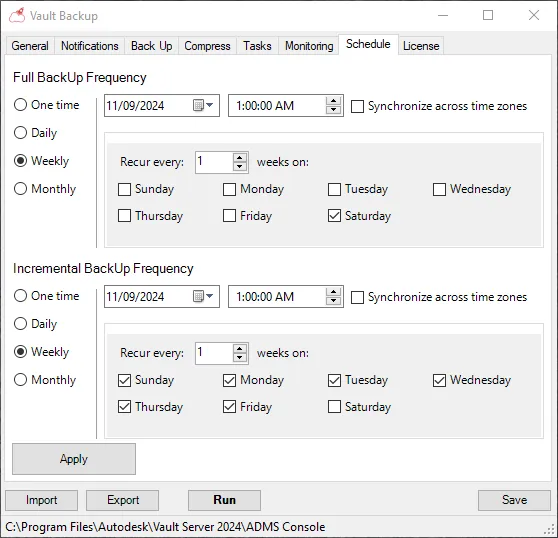
Schedule it once
Daily, weekly or custom intervals, wrapped around Autodesk's own ADMS Console backup – the supported mechanism, with the discipline built around it. Configure once; deploy the same settings across multiple Vault servers.
Step 2
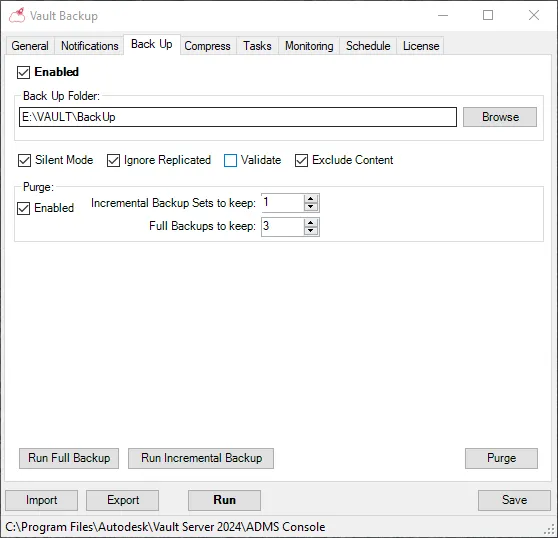
Every run is validated and compressed
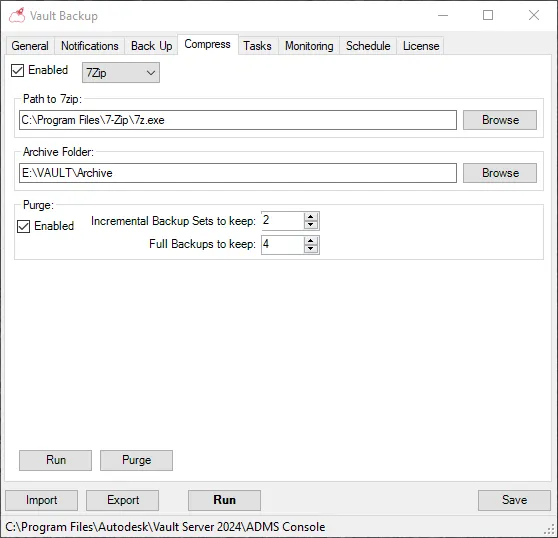
After every run, the compressed backup archive is test-read end to end – the same check you'd run by hand before trusting a restore – so a file existing and a backup working are the same thing again. 7zip compression and configurable retention rules keep the storage under control without housekeeping.
Step 3
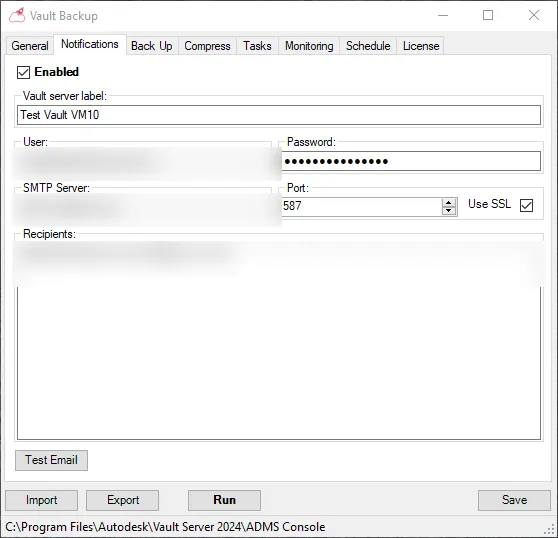
Failure emails you the same day
The whole point. A failed run sends an alert immediately – a same-day fix instead of a discovery during a crisis. When was your last verified backup? With Turbo Backup, you can answer with a date.
A look inside
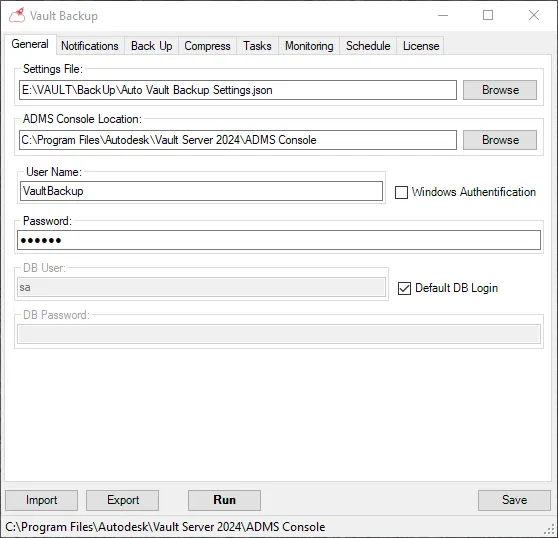
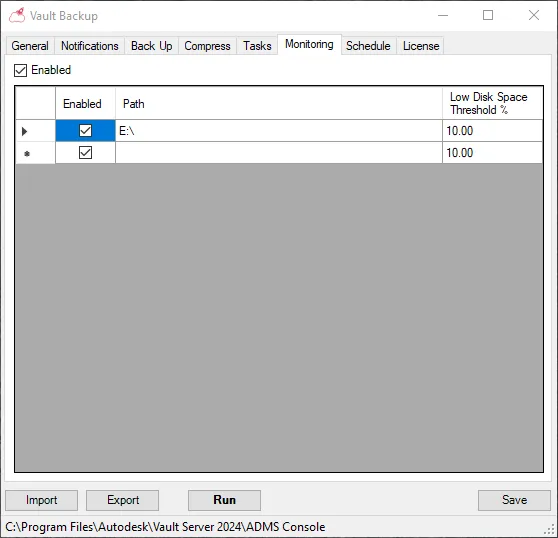
No black box – the same settings screens you configure once and forget.
The rest of the Vault admin toolkit
Turbo Backup protects the Vault. Turbo Loader keeps it fed.
When was your last verified backup?
If you had to go and check, that's the conversation. Fifteen minutes, and you'll know what it costs for your number of servers – it's the smallest line item on this website.
Request access